Pattern bursts
Type shorthand, expand into tables, callouts, or lists, then keep iterating without breaking your typing cadence.
Pair a compact desktop footprint with a native editing core, Vue-aware affordances, and Markdown workflows that feel as precise as your IDE shortcuts.
Expect roughly a 10MB installer footprint and a C++-backed UI tuned for teams juggling uni-app targets, docs, and daily refactors.
Explorer
<template>
  <main class="app">
    <h1>
      HBuilderX Velocity Shell
    </h1>

    <section v-if="zeroLatency">
      <code>sub-second cold open • native core</code>
    </section>
  </main>
</template>

<script setup lang="ts">
const zeroLatency = true
</script>
Native runtime layer
Keeps keystrokes tight even when buffers grow.
Vue-centric lanes
Hop between template, script, and style without losing context.
Independent walkthrough — not an official vendor page
The editor blends a small install profile with a native surface area, so you spend less time waiting on chrome effects and more time iterating on Vue surfaces, Markdown briefs, and uni-app bundles.
Think of it as a pragmatic bench for product engineers who bounce between components, release notes, and automation scripts—all without surrendering keyboard muscle memory.
Last updated:
Editorial signal
Written from hands-on Windows and macOS setups with a bias toward shipping Vue docs, CLI glue, and long-haul refactors.
Jump links
Skip to the slice of HBuilderX you care about right now:
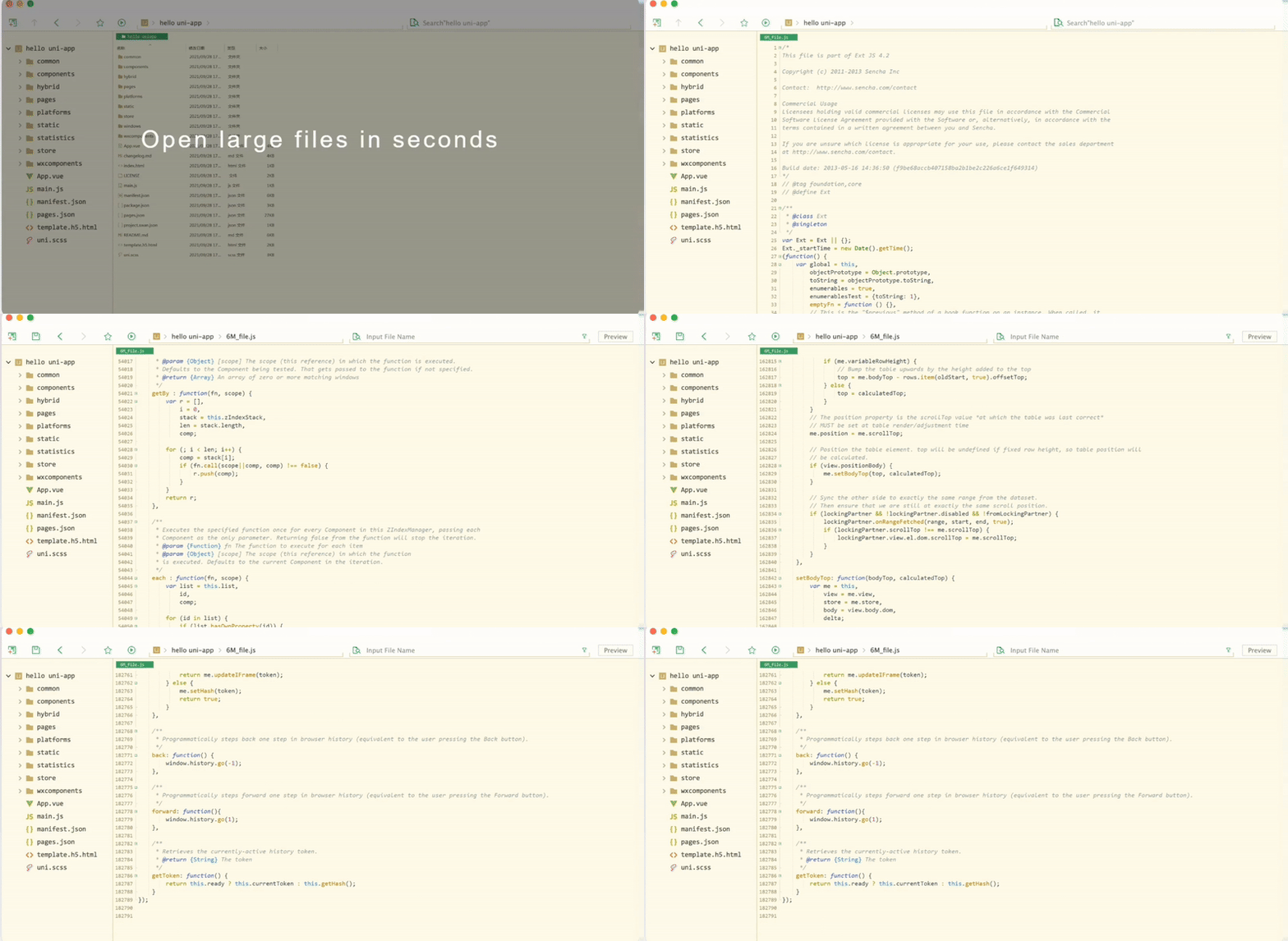
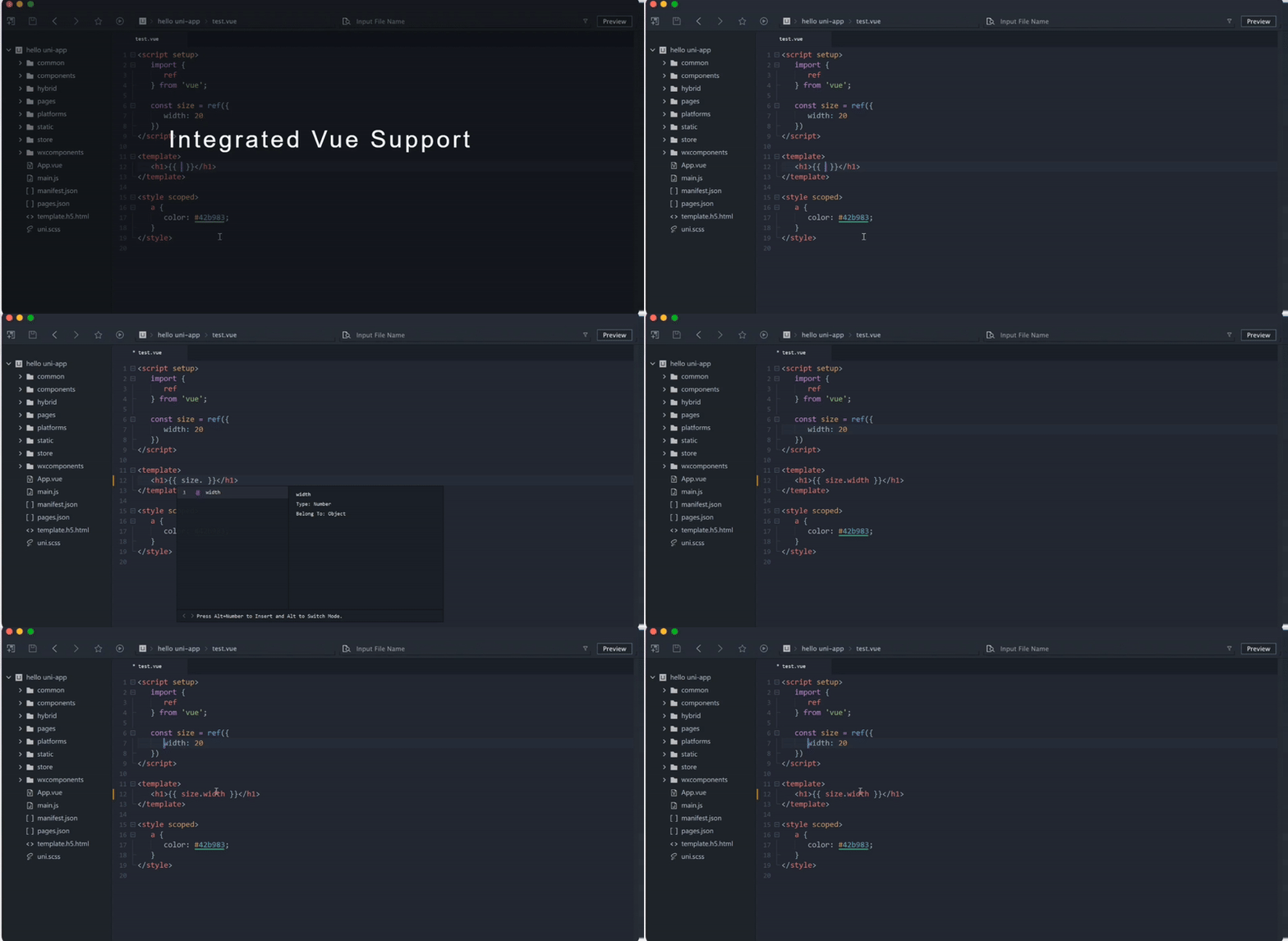
Three lanes—speed, Vue craft, and Markdown discipline—illustrated with motion captures from real HBuilderX sessions.
RESPONSIVENESS
The shell stays out of your way: scrolling, lint hops, and multi-file search feel immediate because the runtime isn’t trapped inside another browser host.
VUE LANE
HBuilderX traces `.vue` boundaries so you can refactor props, emits, and slots without hunting through three panes manually.
DOCS
Pair synchronized preview with expansion tricks so changelogs, ADRs, and support playbooks stay structured without leaving the buffer.
# Launch brief
- Linked preview panes
- Export-safe formatting

Lean
installer
0.5s
Cold open
3
Desktop OS targets

Treat Markdown like structured code: staged expansions, disciplined shortcuts, and preview rails that mirror your caret.
Type shorthand, expand into tables, callouts, or lists, then keep iterating without breaking your typing cadence.
Map bold, code fences, and checklist toggles to muscle memory so doc sprints feel as fluid as coding sessions.
Keep rendered output aligned with the source buffer so reviewers see exactly what authors typed.
Multi-cursor sweeps, scoped search, and semantic selection behave identically in `.md` buffers, so you can reshape long briefs the same way you refactor components.
HBuilderX keeps spacing honest while you duplicate templates—ideal for changelog rituals, API explainers, and support macros that must stay on-brand.
HBuilderX rewards shortcut-heavy operators: stack cursors, widen selections semantically, and teleport across symbols without chasing scrollbars.
Pointer-free loops
Jump definitions, tweak imports, and snap back without lifting your palms.
Stacked carets
Batch identical props, labels, or Markdown bullets in one pass.
Scope-aware selection
Grow selections by expression, line, or block with predictable chords.
Search + teleport
Ripgrep-style hops land you on the next symbol match instantly.
Motion study: dual GIF panel
Live capture
// multi-cursor edit: change repeated props in one shot
const buttons = [
  { label: "Install",  variant: "primary" },
  { label: "Handbook",      variant: "primary" },
  { label: "Extensions",   variant: "primary" },
]
Swap in your own screen captures anytime—the layout is sized for 16:9 loops.
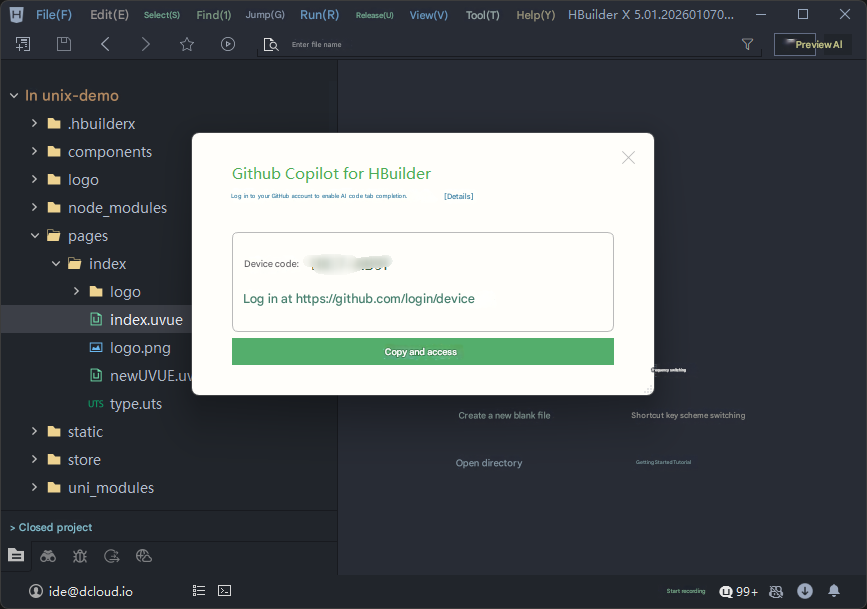
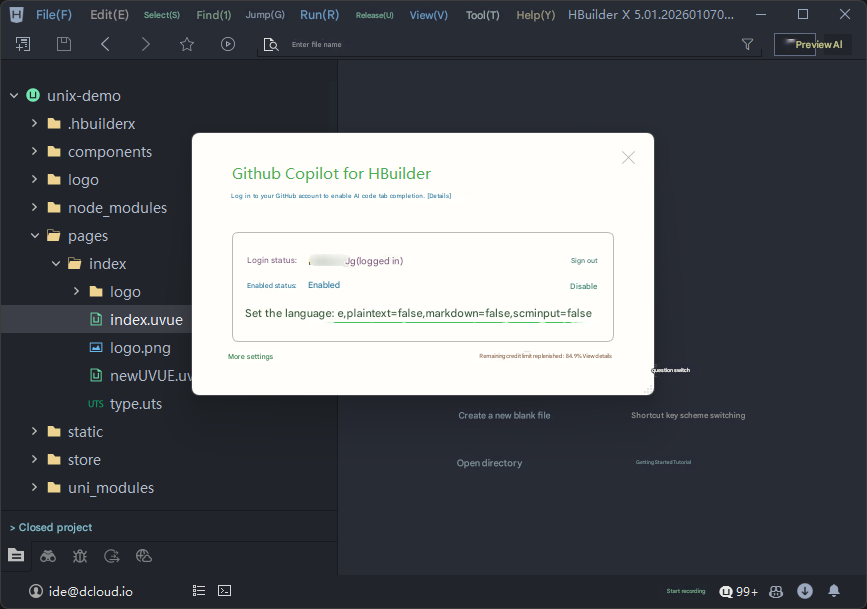
Layer GitHub Copilot-style completions on top of HBuilderX when you want predictive streaks—otherwise keep the editor strictly local.
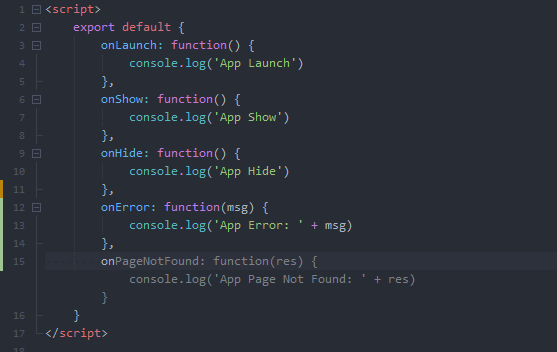
Suggestions ride along your buffer; accept with a tap, nudge manually, or keep typing—the buffer never mutates unless you say so.
// approve ghost text → continue narrative
// dismiss ghost text → your plan wins
// loop → throughput without surrendering authorship
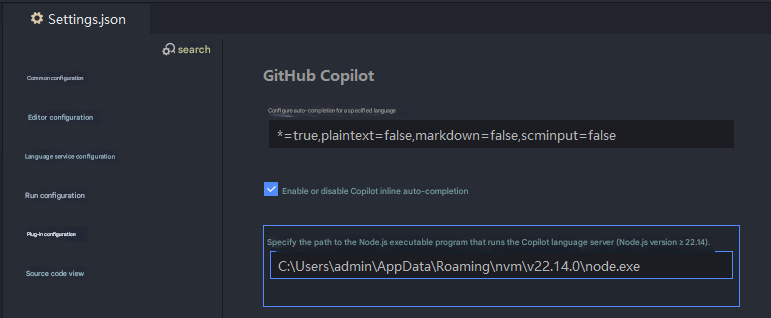
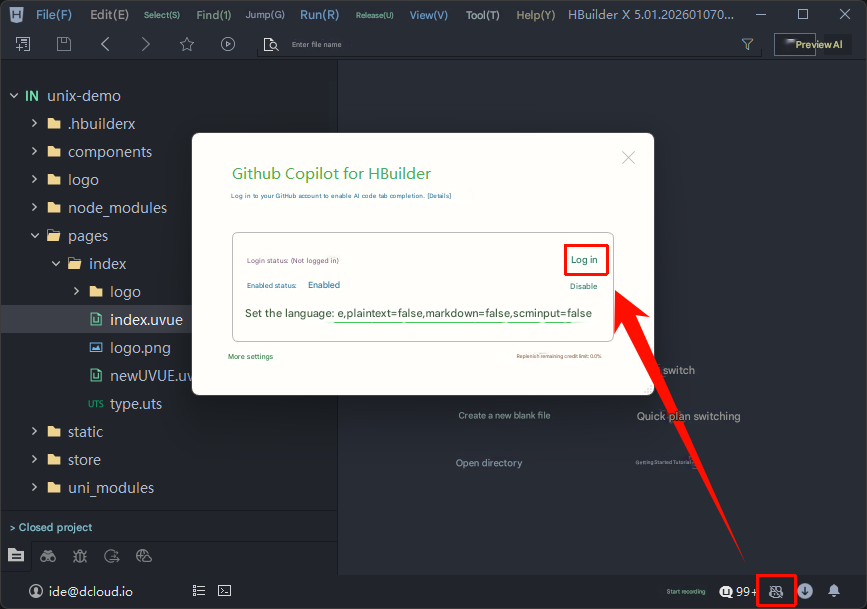
Flip the assist module inside HBuilderX, point it at Node once, authenticate, and the inline lane mirrors your normal keymap.

Stay inside the buffer
Ghost text, Tab-to-keep, and your existing shortcuts share the same lane—no context hopping required.
Pick your OS, mirror the checksum ritual below, and you are compiling in minutes.
Windows
Windows 10 / 11
Standard and App Development editions ship from the official CDN.
Fetch installerIncludes Standard + App Development channels
macOS
macOS (Intel + Apple silicon)
Notarized builds with the same HBuilderX feature surface.
Fetch installerUniversal binary selector inside the flow
Linux
Linux (.tar.gz)
x64 and arm64 bundles for CI runners or local workstations.
Fetch archiveUnpack anywhere—no root required
Measured cold starts
The native shell keeps RAM flat on mid-tier laptops; pair it with SSD storage and you will feel panels hydrate before the fan spins up.
Same surface for product & docs
Vue SFCs, Markdown handbooks, and hybrid mobile targets share one keymap—no separate “writer mode” bolted on the side.
No funnel, just files
Official mirrors, checksum-friendly bundles, and assist tooling you can disable mean you can audit everything before inviting the rest of the team.

HBuilderX tunes contrast, typography, and motion so marathon reviews feel less like staring into a floodlight.
The interface is optimized for dark backgrounds and soft contrast so that code, panels, and sidebars are easy to read without harsh glare.
Modern font rendering and clear spacing make it easier to scan code and Markdown, helping your eyes track lines with less effort.
Rich shortcuts, multi-cursor editing, and quick commands reduce unnecessary mouse movement and repetitive strain.
A responsive editor means less waiting and fewer context switches, keeping your focus steady instead of constantly stopping and starting.
Clean visual hierarchy and focused tool panels help reduce noise on screen, so your attention stays on the code that matters.
Treat the editor as one part of the ergonomics stack—pair it with breaks, desk stretches, and sane display brightness for the long haul.
Drop these fragments into PowerShell profiles, RDP jump boxes, or CI images when you need HBuilderX to launch with predictable paths.
Launch HBuilderX from PowerShell
cd "C:\Program Files\HBuilderX"
.\HBuilderX.exe
Pin a workspace root via env var
$env:HX_WORKSPACE="C:\Projects\my-app"
Start-Process "C:\Program Files\HBuilderX\HBuilderX.exe" -ArgumentList $env:HX_WORKSPACEStraight answers on installs, assist plugins, Vue/uni-app coverage, and how much control you keep over the buffer.
Pocket definitions for the phrases we lean on throughout this hbuilderx.io walkthrough.
HBuilderX keeps most UI chrome on the GPU-friendly side of the stack so typing latency stays low even when previews and terminals stay open.
One file, three blocks—template, script, style—and HBuilderX wires structure breadcrumbs plus formatter hooks across each region.
A Vue-flavored toolkit for shipping mobile + web bundles from one repo; HBuilderX ships templates, run targets, and packaging shortcuts for it.
Snippet expansion, folding, and preview panes tuned for changelogs, ADRs, and customer-facing handbooks without leaving the editor.
Optional GitHub Copilot integration that paints ghost text ahead of the caret; you merge it with Tab or keep typing to discard the hint.
The idea that editor UX should feel as snappy as a well-tuned marketing page—minimal jank when panels resize, themes swap, or previews refresh.